Five minutes, end to end: from launching the app to holding a recipe an agent can execute.
1. Launch
inference-atlas
On the very first run it does three things before drawing anything:
- Writes a config file at
~/.config/inference-atlas/config.toml, with every default spelled out and commented. You never have to create it. - Fetches the data — one small conditional request for
manifest.json, then the shards whose contents changed. About 900 KB the first time, then almost nothing. - Probes this machine — the CPU or Apple chip, installed memory, and any NVIDIA GPUs — and matches it against the atlas hardware registry.
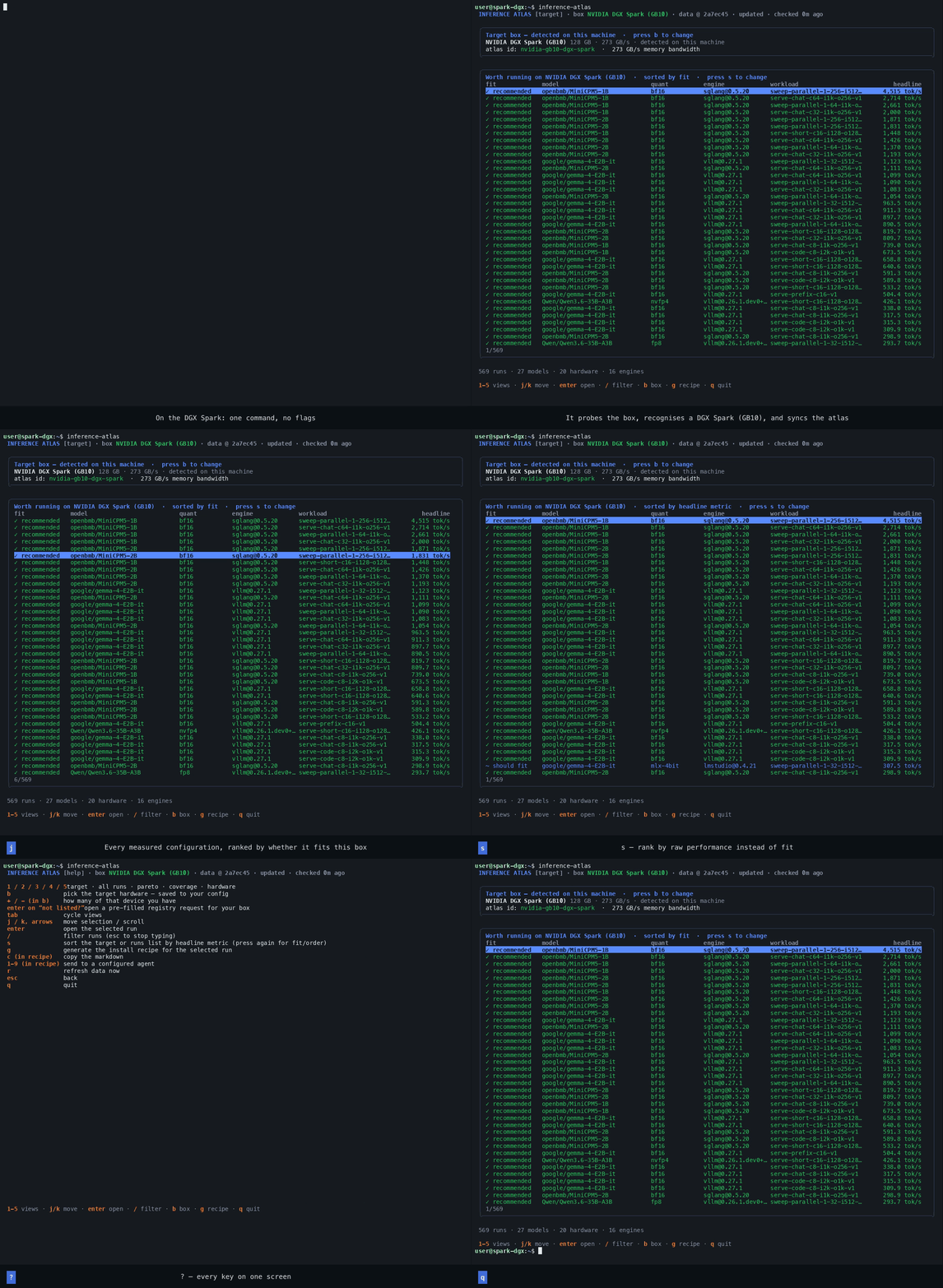
2. Tell it which box you care about
If step 3 recognised your machine, you land on the target view with it selected. The header says so:
INFERENCE ATLAS [target] · box NVIDIA DGX Spark (GB10) · data @ 46e00af · fresh
If it did not recognise it, the app opens the hardware picker first and asks, rather than ranking runs against a box it cannot name.
Either way, press b whenever you want to change it. The box you browse from is often
not the box you deploy to — pick the one you actually run models on, and use + / -
to say how many devices you have.
   hardware               name                      n           memory    bandwidth
▸  nvidia-gb10-dgx-spark  NVIDIA DGX Spark (GB10)   1           128 GB     273 GB/s  detected
   nvidia-h100-80gb       NVIDIA H100 80GB (SXM5)   4          320 GB pooled  3350 GB/s
   + not listed?         add your box to the registry                    opens an issue
enter selects. The choice is written to your config, so the next launch remembers it. Not listed? The last row opens a pre-filled registry request — see The target box.
3. Read the ranking
Back on the target view (1), every measurement in the atlas is sorted by whether it would
run on that box:
fit             model                 quant      engine           workload          headline
✓ recommended   google/gemma-4-E2B-it bf16       [email protected]      sweep-parallel…  1,123 tok/s
✓ recommended   google/gemma-4-E2B-it bf16       [email protected]      serve-chat-c64…  1,099 tok/s
~ should fit    Qwen/Qwen3.8-27B      nvfp4      [email protected]     serve-chat-c8…     182 tok/s
! tight         Qwen/Qwen3.8-27B      bf16       [email protected]      serve-single…       41 tok/s
✗ won't fit     inclusionAI/Ling-3.0  bf16       [email protected]      serve-single…      120 tok/s
Those five verdicts mean specific things, and each one shows its reasoning when you open the run. The target box explains all of them.
4. Open a run
j / k (or the arrow keys) move, enter opens. You get the full measurement:
the fit verdict with its reasoning, the latency distribution, the shape of every request in
the run, the sweep curve if it was a sweep, and the gotchas — the things the person who
ran it had to know to make it work, which is usually the most valuable part of the screen.
╭──────────────────────────────────────────────────────────────────────────╮
│ Fit on NVIDIA DGX Spark (GB10): ✓ recommended                            │
│ • measured peak 120.2 GB on nvidia-gb10-dgx-spark                        │
│ • NVIDIA DGX Spark (GB10) has 128 GB → 94% used                          │
│ • measured on this exact hardware (nvidia-gb10-dgx-spark)                │
│ • bandwidth-bound decode ceiling there ≈ 33 tok/s                        │
╰──────────────────────────────────────────────────────────────────────────╯
5. Turn it into a recipe
Press g. The app writes a Markdown file to ~/inference-atlas/recipes/ containing
everything needed to reproduce that configuration:
- the exact weights, with the revision pinned
- install commands for that engine at that exact version
- the serve command, rebuilt from the recorded flags
- every flag with its registered help text and impact
- the run's gotchas
- the numbers you should expect, and the fit verdict for your box
- the
atlas-benchsteps to verify it and contribute your own result back - the rules from
AGENTS.mdthat keep the data trustworthy
From the recipe view: c copies the Markdown, or 1–9 hands it to an agent
you configured (claude, opencode, or your own command). See Recipes.
6. Look around
| Key | View | Good for |
|---|---|---|
1 |
target | what to run here |
2 |
runs | everything, with / to filter |
3 |
pareto | the throughput/latency trade-off, with the frontier |
4 |
coverage | which squares nobody has measured — where to contribute |
5 or b |
hardware | change the target box |
? shows the keyboard reference at any time. q quits.
What next
- Your box is not in the registry → adding it
- The charts look unfamiliar → Reading the charts
- You want the recipe to go somewhere specific → Configuration
- You want to contribute a measurement → the recipe's own "Verify & contribute back" section
walks through it, and
AGENTS.mdis the full contract